Online Marketing
My name is Andy Williams and this is my site. The main focus of this site is WordPress, though I do have information on self-publishing, A.I. Tools, and SEO as well.
If you are interested in learning skills required to successfully build and manage a website, I have a number of articles on this site, books on Amazon, and courses on Udemy, covering a wide range of relevant topics.
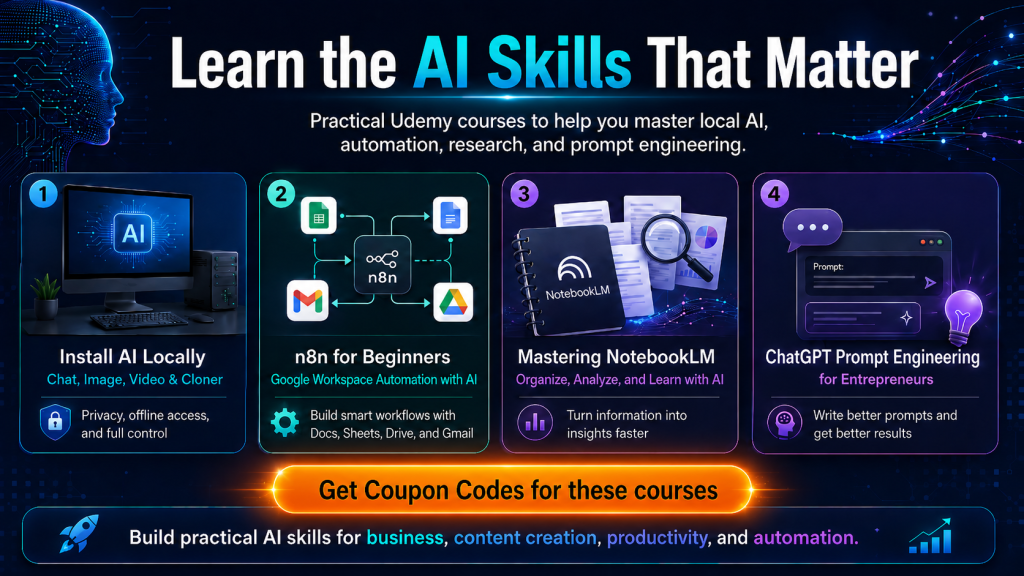
New Course: Mastering NotebookLM
Unlock your productivity with Mastering NotebookLM—your AI-powered research and note-taking ally. This hands-on course takes you from zero to confident user, showing you how to effortlessly upload documents, synthesize insights, and even convert complex information into conversational audio summaries. Whether you're a student, researcher, or professional realm, you’ll learn to turn scattered data into structured knowledge and smarter actions. With real-world examples, quizzes, and updated 2025 features like source tracking, mind maps, and multilingual summaries, it’s the fastest way to leverage NotebookLM for better learning and decision-making. Embrace the future of information management—organized, informed, and on‑demand.
Learn more: My NotebookLM Course on Udemy
Popular Course:
Why WordPress? Frequently Asked Questions
Whether you're new to website development or looking to enhance your skills, WordPress offers an accessible platform for creating dynamic and customizable websites.
WordPress powers a significant portion of the internet, from personal blogs to complex e-commerce sites and corporate portals. Its intuitive interface and extensive ecosystem of themes and plugins make it an ideal choice for beginners and experienced developers alike.
In this FAQ, we'll address common inquiries about WordPress, ranging from its basic functionality to more advanced topics like security and e-commerce integration. By the end of this guide, you'll have a solid understanding of how to navigate and leverage the power of WordPress for your projects.
Whether you're curious about themes, plugins, SEO, or site security, this FAQ aims to provide clear and practical answers to help you embark on your WordPress journey with confidence.
What is WordPress? WordPress is a free and open-source content management system (CMS) that allows you to create and manage websites and blogs. It's highly customizable and widely used for building websites of all types. Whether you want a blog, a business site, or an eCommerce solution, WordPress can do it all.
Do I need coding skills to use WordPress? No, you can use WordPress without coding knowledge. It offers a user-friendly interface with themes and plugins that allow you to customize your site visually. However, some coding knowledge (HTML, CSS, PHP) can be beneficial for more advanced customization.
How do I start learning WordPress? You can start by setting up a WordPress website locally or on a web host. There are many online tutorials, courses, and documentation available to help you learn the basics. If you want a structured course, see the info box below these FAQs for a link to my own WordPress course.
What are themes and plugins in WordPress?
- Themes: Themes control the appearance of your WordPress site, including layout, design, and style.
- Plugins: Plugins are add-ons that extend the functionality of WordPress. They can add features like contact forms, SEO tools, e-commerce capabilities, and more.
Where can I find WordPress themes and plugins? You can find themes and plugins in the official WordPress.org repository or from third-party marketplaces. Always choose reputable sources to ensure compatibility and security.
Is WordPress SEO-friendly? Yes, WordPress is SEO-friendly out of the box. You can further optimize your site using SEO plugins like Yoast SEO or All in One SEO Pack.
How do I secure my WordPress site?
- Use strong passwords and limit login attempts.
- Keep WordPress, themes, and plugins updated.
- Use security plugins like All In One Security & Firewall.
- Implement SSL (HTTPS) for secure connections.
Can WordPress be used for e-commerce? Yes, WordPress can power e-commerce websites using plugins like WooCommerce, which is one of the most popular e-commerce solutions for WordPress.
How do I back up my WordPress site? You can use plugins like UpdraftPlus or BackupBuddy to schedule automatic backups of your WordPress site. Additionally, your web hosting provider might offer backup services.
What are the costs associated with using WordPress?
- WordPress itself is free, but you will need to pay for web hosting and a domain name.
- Premium themes and plugins may have associated costs, but there are many free options available.
How can I get help with WordPress issues?
- Refer to the WordPress.org support forums and documentation.
- If you are on my course (see below), ask me. I am there to help my students.
Can I migrate an existing website to WordPress? Yes, you can migrate content from other platforms to WordPress using plugins or manual methods. This process may vary depending on your current platform.
Where Can I Learn WordPress?
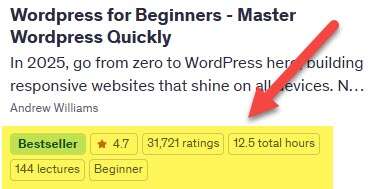
My WordPress for Beginners course starts from the beginning and assumes zero knowledge. I'll even show you how to install WordPress on your own computer so you can learn WordPress with ZERO costs (no webhost or domain name). It has never been easier to add WordPress to your list of skills.
Featured Posts

My Recommended Web Host?
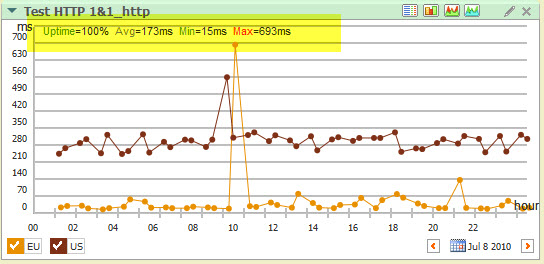
Over the years, I have used a lot of web hosts and none have been perfect. As website owners, the holy grail is to find an affordable host that will have little or no downtime, and fast server responses.
How to Add Image Credits in WordPress
Most free images require credits, and some ask for links back to the source file. This guide shows how you can easily add image credits or attribution in WordPress posts and pages.

What Is a Domain Name and How Much Does One Cost?
What is a domain name, how much does it cost to buy one, and how does a domain register differ from a registrar? This article answers all FAQs about unique website addresses.
How to Add a Click-to-Call Button in WordPress
A quick guide on how to quickly add a simple online Click-to-Call button to any WordPress post or page. This guide also looks at when direct contact is better for business than contact forms and email

How to Allow Users to Submit Posts to Your WordPress Site
Here are 3 ways you can allow visitors to your WordPress website submit unique content. One method is built-in to your Admin area, and the other two use plugins.

How to Add Captions to Images in WordPress
Learn how to quickly add eye-catching captions to your WordPress images. Headlines add interest to the surrounding image and help to draw the reader into your story.
Ultimate Beginners Guide to Structured Data
Search engines like Google want to understand what your web pages are about. You can help them by providing more information about your pages in

How to Block IP Addresses in WordPress
Here’s what WordPress site owners can do to protect their blog or website from spam, spammers, and hackers. This guide shows 3 effective ways on how to block the IP addresses of bad actors

Bluehost Black Friday 2022 – But Which Plan is Best for You?
Bluehost have a number of plans available, but which one is best for you, and do you really need a more expensive plan?

Free WordPress Gutenberg Course
If you're struggling with the editor in WordPress (codenamed Gutenberg), here is a free course to help.
Wix vs WordPress Pros, Cons, Conclusion
Wix vs WordPress, which is the best site builder? This article presents a candid comparison of the two systems back to back. It covers Wix and WordPress.org pros and cons and ends with a conclusion.

What Is a Domain Registrar?
A short guide that answers the question, what is a domain registrar? Plus, what are Top Level Domains (TLDs), and how to find the perfect domain if your first choice is taken?.

How to Change Your Password in WordPress
Lost or forgotten your WordPress login details? Don’t worry. This step-by-step tutorial shows 3 ways on how to quickly change your password in WordPress for any situation.

How to Add an Author Info Box in WordPress Posts
Here are 4 quick methods for adding a custom author info box to your WordPress posts and pages. The author bio builds trust among readers and adds credibility to your website or blog.

Moving a Site from WordPress.com to WordPress.Org
So you started your free WordPress.com website, but now need more power and fewer restrictions. Moving your WordPress.com site to a WordPress.org hosted site is easy. This tutorial explains the process.

How to Hide Your WordPress Site from Visitors While You Are Developing It
This tutorial teaches you how to hide your WordPress Blog or Website from public view as you develop it. I also show you how to allow access to selected visitors and different user roles.